- A practical model for separating file structure, metadata, pixels, invisible signals and provenance.
- A repeatable test protocol you can use on a messenger or social platform without overgeneralizing from one result.
- A practical interpretation table for screenshots, resize, recompression and metadata loss.
“Looks the same” is not the same as “is the same file”
Human vision is tolerant. Two images can look identical on a phone screen while having different bytes, dimensions, JPEG quantization, metadata blocks and embedded-signal properties. Many sharing routes create derivatives: they may resize, recompress, convert, remove selected metadata or generate multiple display variants.
A screenshot is an even clearer break. It does not copy the original JPEG or PNG container. It records rendered pixels into a new image with its own file state.
Separate the information before comparing anything
File structure
Format, byte size, dimensions, JPEG encoding and container-level properties.
Metadata
EXIF, XMP, IPTC, PNG text, software declarations and other descriptive records.
Pixel / signal
The visible image plus subtle pixel- or frequency-domain patterns, including invisible watermarks.
Provenance is a fourth type of information. Systems such as C2PA Content Credentials bind signed assertions to an asset state. They are not the same thing as ordinary EXIF, and they can fail or survive differently from a pixel-embedded signal.
A platform test that is actually worth trusting
Platform behavior changes. Mobile and web paths can differ. “Send as photo” and “send as file” can differ. A result without the route and date is hard to reproduce and easy to misquote. Instead of claiming that one platform always preserves or removes something, record the conditions.
Keep the exact original file. Record its SHA-256 if you need byte-level identity, plus dimensions, format, byte size and relevant metadata.
Write down platform, date, client, device, upload mode and whether the file was sent as a photo, attachment, story, post or another path.
Download the returned file rather than judging a preview. Record its dimensions, bytes, metadata and current encoding.
Do not turn “EXIF disappeared” into “everything disappeared.” Check pixels, metadata, any relevant signal and provenance independently.
Report “observed on this route on this date,” not “the platform always does this.”
A real benchmark needs real returned files.
SIGNA AI Lab treats platform survival as empirical evidence. Until a route is actually tested and sealed with its conditions, we do not fill a table with assumed Instagram, messenger or screenshot results. That would look useful and be technically weaker than saying “not measured here.”
What recompression changes
JPEG re-encoding is lossy. Another encode step can alter frequency coefficients while the picture looks nearly identical. That matters to forensic comparison and to invisible watermark systems whose signals may occupy subtle pixel or transform-domain patterns.
The correct question is never simply “does JPEG destroy the watermark?” It is “under which quality, image class, payload, embedding strength and detector conditions was recovery measured?” A useful robustness claim is bounded by those conditions.
Resize is also a synchronization problem
Resizing creates a new sampling grid. That changes image detail, but for a watermark detector it can also move the signal away from the coordinates the detector expects. A detector may need to recover scale and alignment before it can test the remaining signal.
Metadata behaves differently. Resizing pixels does not logically require EXIF to disappear; an export pipeline may preserve it, rewrite it or remove it. That is why “resize removed my metadata” is a workflow observation, not an image-processing law.
Crop destroys pixels and shifts context
Cropping permanently removes part of the image. A signal contained only in the removed region is gone; a distributed signal may still leave evidence elsewhere, but the detector has less material and a shifted coordinate frame. The same crop can leave metadata untouched, partially rewritten or stripped depending on the software used.
A screenshot breaks the original container
A screenshot creates a new capture of what was rendered. The camera EXIF from the displayed original is not simply copied into the screenshot container. Yet “new container” does not mean every trace is gone. A visible watermark can remain visible. Some invisible signals may survive depending on scale, display rendering and capture conditions. Some provenance ecosystems can use external matching or recovery mechanisms.
Use the free monthly allowance to try SIGNA with a photo you already have before deciding whether Pro is useful for you.
What missing metadata tells you about the current file
Camera metadata can disappear because of a screenshot, privacy-oriented export, social platform, editor, format conversion or a tool that never copied the fields. Its absence does not prove manipulation, AI generation, theft or malicious intent.
The reverse matters too: plausible EXIF does not authenticate pixel history. Metadata can be edited, copied or preserved after visual changes. Treat it as evidence about the current file, not a universal truth record.
When an invisible signal is not observed
A failed detection may mean the image was never marked. It may also mean the signal was weakened, cropped, desynchronized, checked with the wrong system or transformed beyond the validated operating range. A positive result is narrow too: it supports that a matching system-specific signal was observed under the check.
How SIGNA fits into the sharing problem
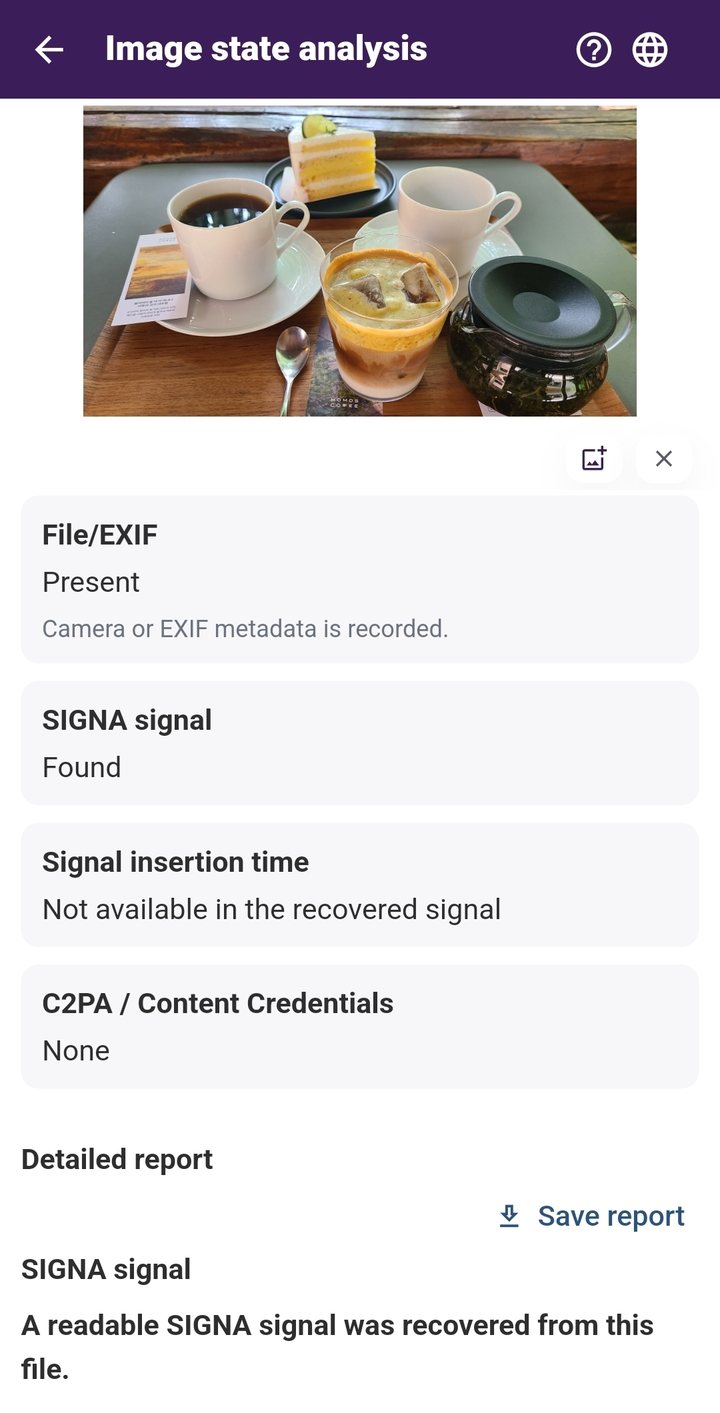
SIGNA keeps these observations separate instead of converting them into one authenticity score. It can add visible watermarks and an invisible SIGNA signal, and its Inspect flow presents available signal-related and image-state information on the Android device. For JPEG images, the current SIGNA signal uses a DCT-based frequency-domain approach.
Recompression, resizing, cropping, screenshots and platform processing can affect what remains observable. Those limits are part of the engineering meaning of a result, not small-print exceptions.
Primary references and further reading
W3C — PNG Specification, Third Edition
Review the file you actually have
With SIGNA for Android, prepare a photo before it leaves your device with a visible watermark and invisible SIGNA signal, then return later to inspect supported image information and the signal in the file you actually have. The core workflow stays on your device.