- Pass 1 — Look at the scene: addresses, badges, screens, documents, reflections, faces and other visible context.
- Pass 2 — Look at the file: GPS, capture time, device fields, software declarations and other metadata that may travel with the image.
- Then choose whether you really need to send the original file or a sharing-oriented copy.
A harmless-looking photo can reveal two different stories
Imagine a casual photo taken at home. Nothing in the center of the frame looks sensitive. But the corner of a delivery label is readable, a window reflection shows part of the street, and the file contains location coordinates because camera location tagging was enabled. None of these details is dramatic by itself. Together, they can expose more context than the photographer intended.
What the eye can find
Street signs, school badges, boarding passes, work documents, computer screens, reflections, faces, license plates and house numbers.
What metadata can add
GPS coordinates when recorded, capture date and time, camera or phone model, orientation, and software or workflow declarations.
What repetition can reveal
A single field may be ordinary. Repeated location, timing or device patterns can become more identifying when paired with a public account.
Pass 1: inspect the pixels as if you were a stranger
Metadata gets attention because it feels hidden, but visible details can be more sensitive. Zoom into the edges. Look at mirrors and windows. Check screens and paper. A crop can remove an unwanted house number; blur can hide a badge; choosing a different frame can avoid publishing a child’s school information altogether.
This is a different privacy problem from metadata. Removing EXIF does nothing to an address visible in the image itself.
Pass 2: inspect the file that will actually be shared
GPS is the obvious starting point. If a location matters, do not assume a platform will clean it for you later. Services use different processing routes and can change them. Inspect first.
Then look at capture time and device details. A timestamp can reveal when you were somewhere. A device model can add context. Software declarations can expose part of an editing or export workflow. These fields should be read as stored observations, not guaranteed history.
GPSLatitude and GPSLongitude are present in the file you plan to send.Original file or sharing copy?
This choice is often more useful than asking whether “metadata is bad.” A photographer may want to keep the full original for their archive while exporting a separate copy for public posting. The public copy can use the dimensions, metadata and visible markings appropriate to that purpose without destroying the private original.
What happens after upload is a separate question
A service may resize, recompress, convert or strip parts of a file. A screenshot creates a new image rather than preserving the original container. Those transformations can change metadata, pixel-level signals and provenance in different ways.
If your privacy depends on a platform removing something correctly, the privacy decision is happening too late. The safer boundary is the file that leaves your device.
Do not outsource the privacy decision to the destination.
If you would not intentionally publish a location, timestamp, document or visible identifier, review it before the upload rather than relying on a platform’s current media pipeline to remove it.
Why local-first inspection changes the boundary
Checking a private photo should not require uploading that same photo to another image-processing server just to learn what it contains. SIGNA’s supported image-review and watermarking workflows are designed around on-device processing, so the selected image does not need to be sent to SIGNA AI Lab for that routine photo operation.
Local processing does not make the device magically risk-free. Backups, other apps, device compromise and later cloud sharing remain separate concerns. The narrower benefit is simple: the inspection step itself does not require an extra photo upload to SIGNA.
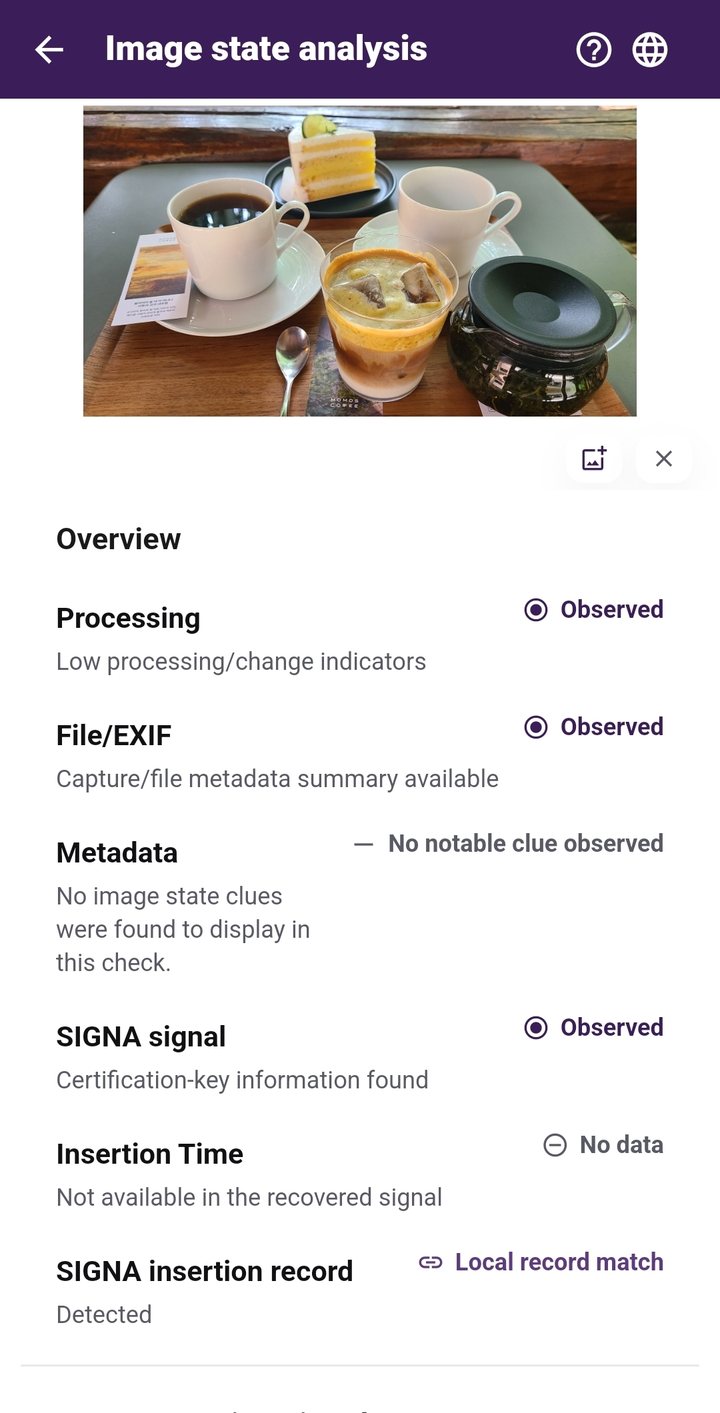
If the goal is to inspect a photo’s available metadata and image information before sharing, that review does not need to become another cloud upload. SIGNA’s supported inspection workflow runs on the Android device.
See how SIGNA handles on-device photo review →A pre-share checklist that takes less than a minute
- Scan the visible scene for addresses, documents, badges, faces, reflections and screens.
- Check whether location information is present.
- Review capture date/time if timing is sensitive.
- Notice device and software declarations without over-interpreting them.
- Decide whether the recipient needs the original file or only a sharing copy.
- If you use a visible or invisible watermark, remember that later processing can affect what survives.
Planning to post a photo? See how to choose a watermark before sharing.
Primary references
Google Photos Help — Understand, find & edit your photos’ locations
Google Photos Help — How Google Photos protects your location data
Check your photo before you share it
SIGNA for Android lets you review supported image information and prepare photos on your device before they leave it.